5. November 2026
DirectorQ Curve Keyboard: A Different Way to Experience Everyday Typing
An S-shaped, low-profile keyboard with scissor-switch keys — a different way to experience everyday typing without rebuilding your workspace.
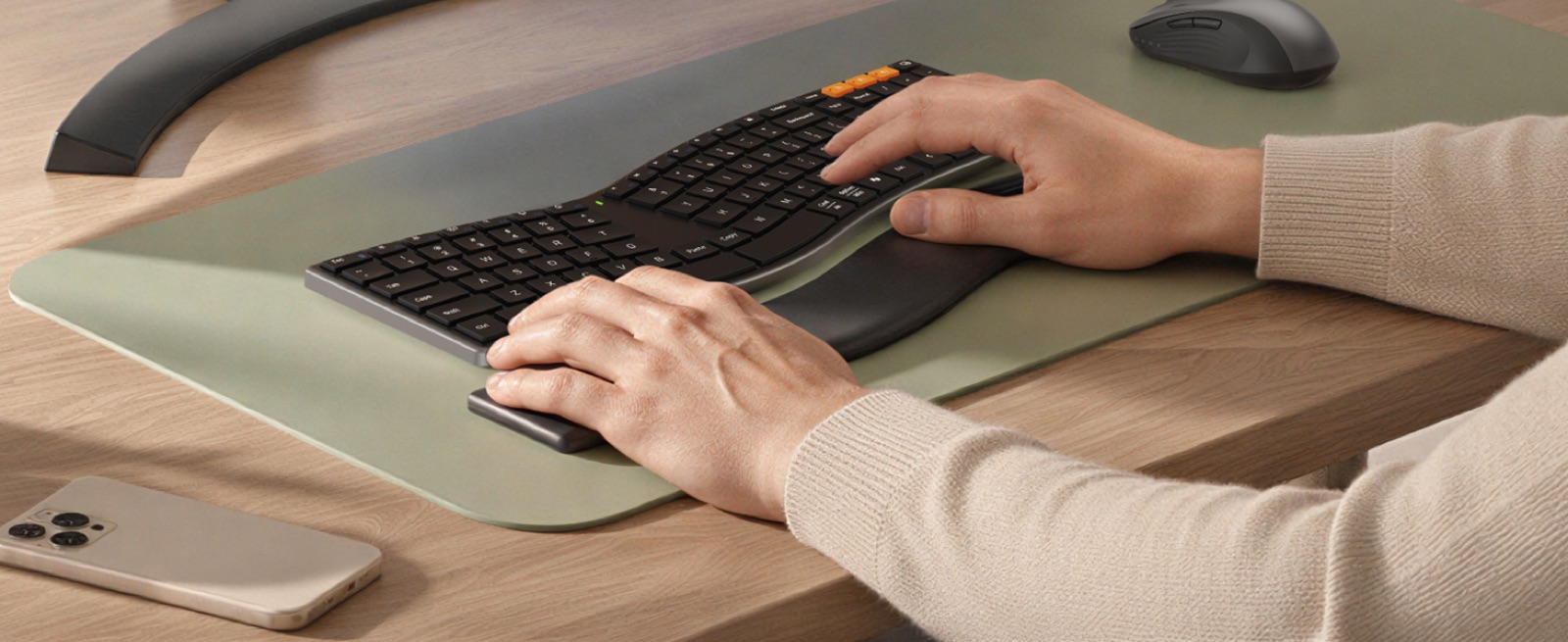
Your keyboard is probably used more often than anything else in your life. You write emails, create reports, study and perform other daily work-related activities using your keyboard. As a result, you develop a sense of how the keys are organized and how the keyboard reacts to your touch. However, what would happen if you decided to switch to a different type of keyboard?
The MEETION DirectorQ Curve Keyboard is an excellent option for users interested in trying out different keyboard designs. It has a unique S-shape design, low-profile and scissor-switch keys that provide a new way to type every day.
In some cases, you may find that simply trying out another type of keyboard will provide a great opportunity to explore something different without having to make drastic changes to your current workstation setup or how you typically work.
Meetion Director Q
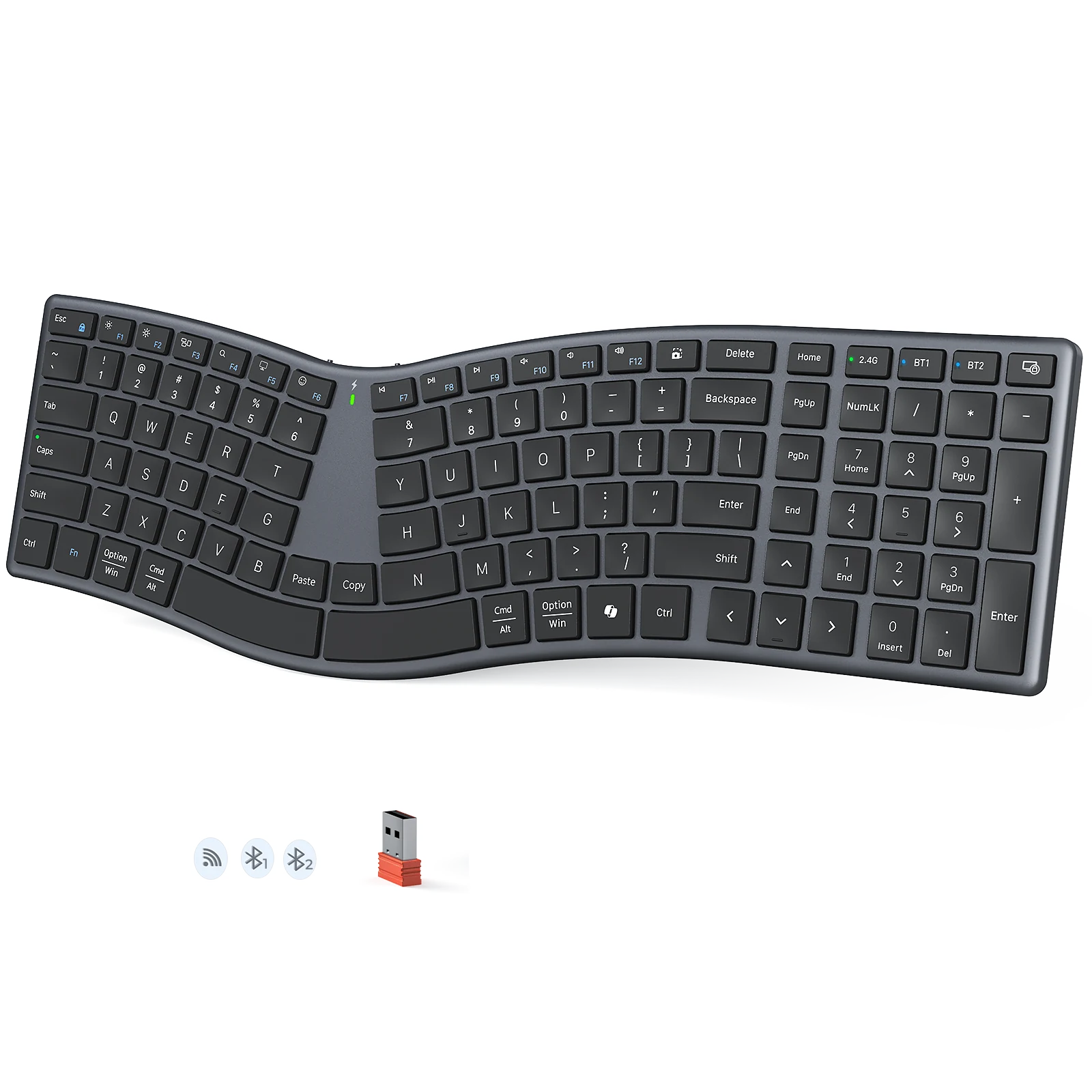
DirectorQ Curve Keyboard
An S-shaped, split-inspired layout with low-profile scissor-switch keys for a different everyday typing experience.
Amazon
$28.49
Meetion Director Q
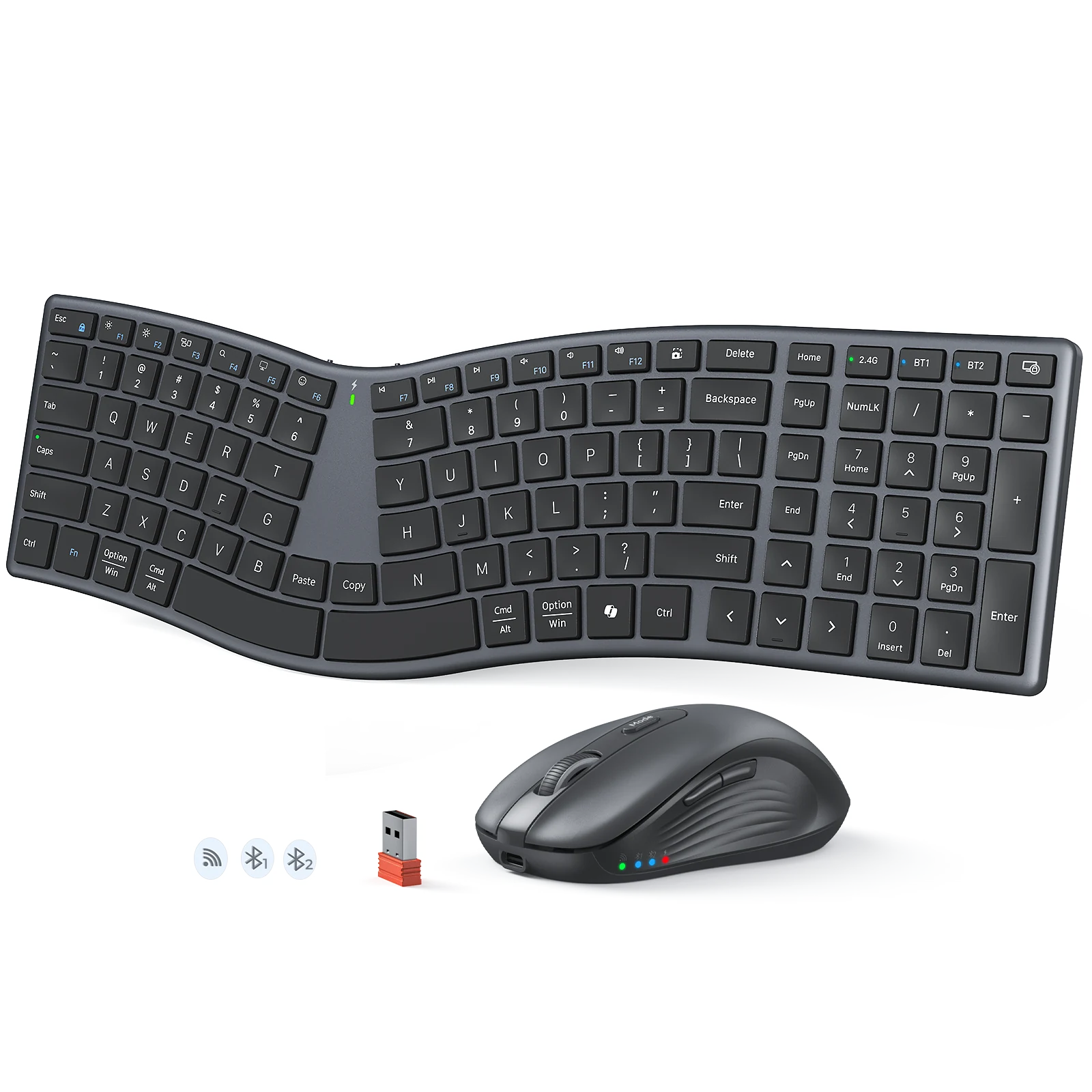
DirectorQ Keyboard & Mouse Combo
Pair the S-curve keyboard with a matching wireless mouse for a complete, clutter-free desk setup.
Amazon
$29.99
Make Everyday Typing a More Comfortable Experience
In general, most individuals have experience of using standard keyboards. They can be found in homes, workplaces, and other locations where computers are used. The design of these keyboards has become an integral component of our day-to-day lives.
Being familiar with one type of keyboard does not mean that you cannot consider other possibilities. For example, some people have developed an interest in trying out different types of keyboards to find out how they would affect their ability to type. Other people just want a keyboard that is visually distinct from what they normally use.
The difficulty with specialized ergonomic equipment is that it can appear as like you are making a large commitment. Not everyone will learn an entirely new way of working right away.
This is where the DirectorQ Curve keyboard offers an interesting alternative.
The point isn’t to take over all existing keyboards, but to provide a viable alternative to consider.
A New Layout That Fits Seamlessly Into Your Everyday Workspace
There may be some initial concerns with testing out a new keyboard. Would the physical design of the keyboard make it difficult for me to type? Would using this new keyboard cause me to have to adjust how I use my computer? These are reasonable fears particularly if you’ve been working with a standard computer keyboard for many years.
The DirectorQ allows users to start their exploration of an alternate layout. The S-shaped configuration is unique from the straight-line configuration typically found in standard keyboards.
If you’ve been looking for a split ergonomic keyboard, DirectorQ might be good option for you. DirectorQ has developed a split-like form factor for its keyboard, but does not market itself as a high-end, professional ergonomic product.
Begin your experience using this product for basic operations, gain an understanding of where the keys are located on the keyboard, and then gradually determine how you would incorporate the use of this product into your daily schedule.
Expectations for a quick change should be avoided. Each individual types differently, and learning to use a new keyboard configuration may take some time.
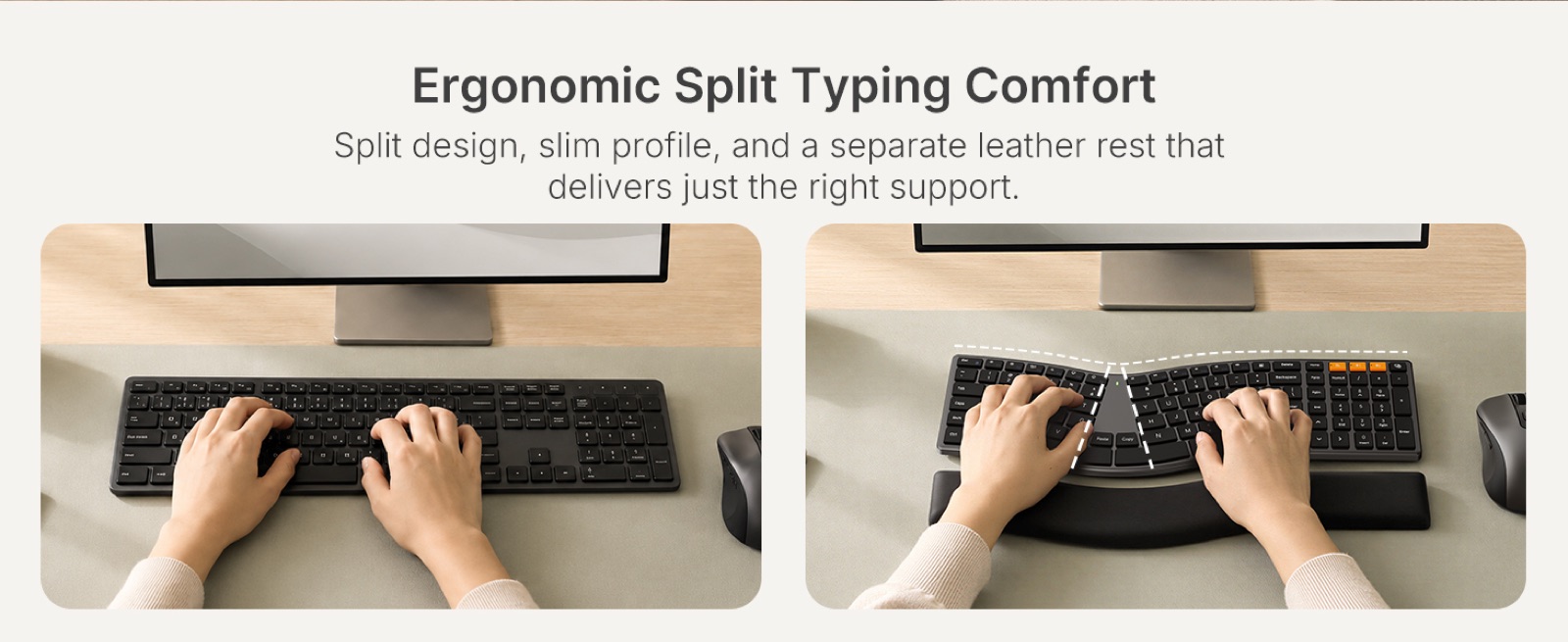
S-Shaped Design That Gives Your Desk a New Look
DirectorQ differs from other keyboards due to its unique look. Unlike most keyboards which have a traditional straight key layout, the DirectorQ has a distinct “S” shape.
Explore a Different Keyboard Arrangement
The S-shaped design is what defines DirectorQ. This provides a different layout than the standard, making it look much different than how most people view keyboards every single day.
For individuals who wish to consider a S-curved ergonomic keyboard, this particular style may be worth looking at. The design offers a different way to view the keyboard, however, the focus remains on the everyday use of computers.
Your experience with this layout is going to be based upon several factors such as your personal preference, your hand shape, and your typing style.
Instead of making the assumption that a different shape will naturally feel better, spend some time to get to know the design of the space and determine if it is suitable for you.
A Slim Profile for Everyday Workspaces
A unique keyboard doesn’t need to appear complex. Director Q’s S shaped design and slim form factor provide a clean, contemporary aesthetic.
This keyboard can be used by people who work from their own homes, are employed in offices, or have a workspace in a library.
Meetion Director Q
DirectorQ Curve Keyboard
An S-shaped, split-inspired layout with low-profile scissor-switch keys for a different everyday typing experience.
Amazon
$28.49
Meetion Director Q
DirectorQ Keyboard & Mouse Combo
Pair the S-curve keyboard with a matching wireless mouse for a complete, clutter-free desk setup.
Amazon
$29.99
What Makes Scissor-Switch Typing Different?
A key is just one aspect of the total experience of using a computer keyboard. However, it’s equally as important since the keys are how we interact with our computers on a daily basis.
Scissor-Switch Keys
The MEETION Director Q utilizes scissor-switch keys. These keys are a significant aspect of the Director Q’s typing design, and provide users with a unique typing experience like laptop keyboard typing when compared to keyboards using alternative switch technologies.
Scissor switch keys can be found on many of the slimmer keyboard designs. These type of switches utilize a scissor like mechanism under each keycap to help facilitate key movement.
For regular users, the type of key mechanism affects how they type. This is because every individual has their own personal preference when it comes to the way they want to feel as they are typing.
The S-shaped design of DirectorQ combines with the use of scissor-switch keys to provide a valid option for those who would like to try out a different type of keyboard than they are accustomed to.
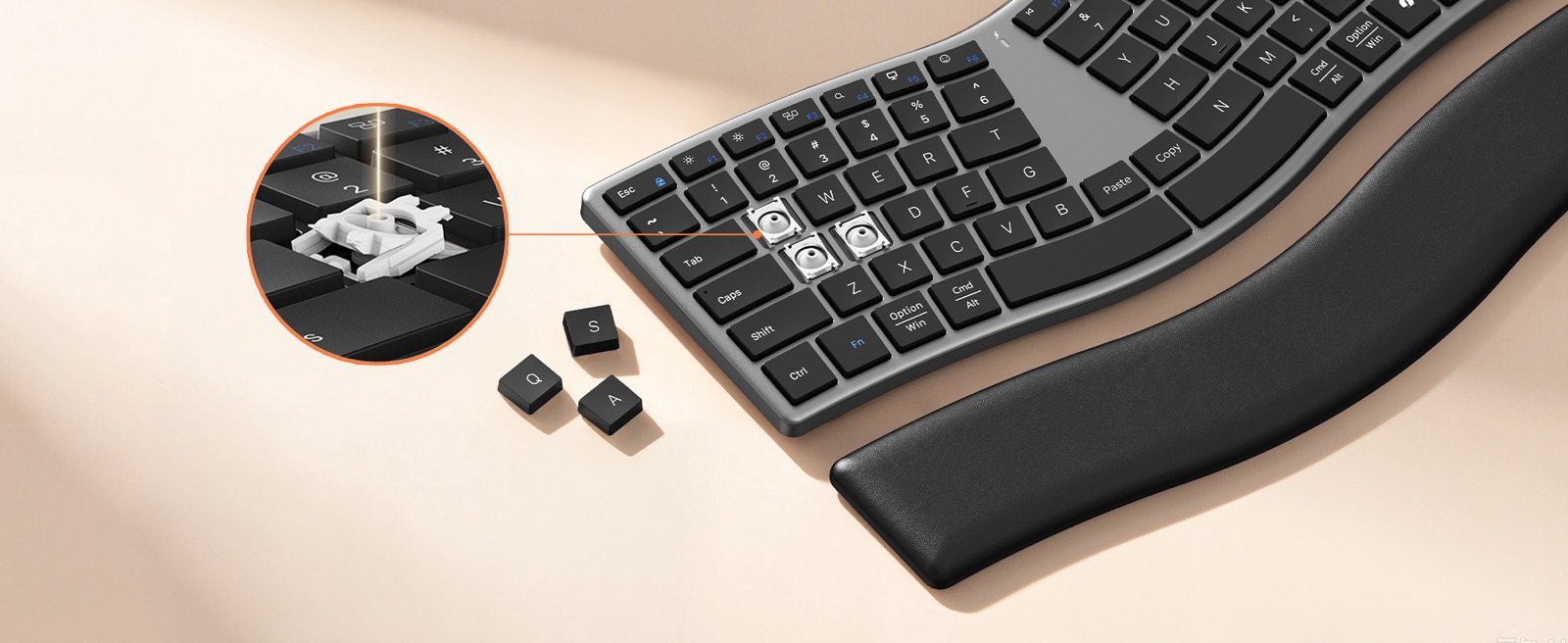
Give Yourself Time to Get Comfortable
It will probably take time to get used to using an alternative keyboard instead of your current one. Since your fingers are accustomed to where they need to go when typing, transitioning to another type of layout may require you to adapt.
Typing simply at first will help you to get used to the keyboard. When you are comfortable, you may write longer paragraphs, email messages, or even long papers.
A Different Keyboard For Familiar Daily Tasks
You want a keyboard that is part of how you live each day. It could be used to do office work, write, study through online courses, conduct research, or complete personal projects.
Director Q has been designed to allow daily users to try out a different type of keyboard, while still being able to use their existing way of working.
You may have several common tasks that you do on a daily basis like creating documents, responding to emails, searching the web etc. If so, then you are already familiar with these types of tasks and should be able to apply that knowledge to learning how to type using another type of keyboard layout.
What Happens to the Shortcuts You Use Every Day?
The most common question that people ask about an alternative keyboard layout is if they will be able to do all the things that they do now with the current layout.
Now consider how often you use shortcuts in your daily routine. Most people copy text, paste data and switch from window to window on a regular basis while using their computers.
As you start exploring more on DirectorQ, make sure to find the proper shortcut keys and practice performing those actions.
You can, for example, open a document and then copy a portion of the text from one place to another. You can also switch back and forth between two different programs. The above examples are basic actions that allow you to see how the keyboard will fit into the way you currently do things.
In addition, watching the demonstration of these operations will help you understand them better than just reading about them. By showing you where the shortcut keys are located and what they look like while you are working, a live demonstration of a product can provide you with a clearer understanding of how to utilize shortcuts in your daily routine.
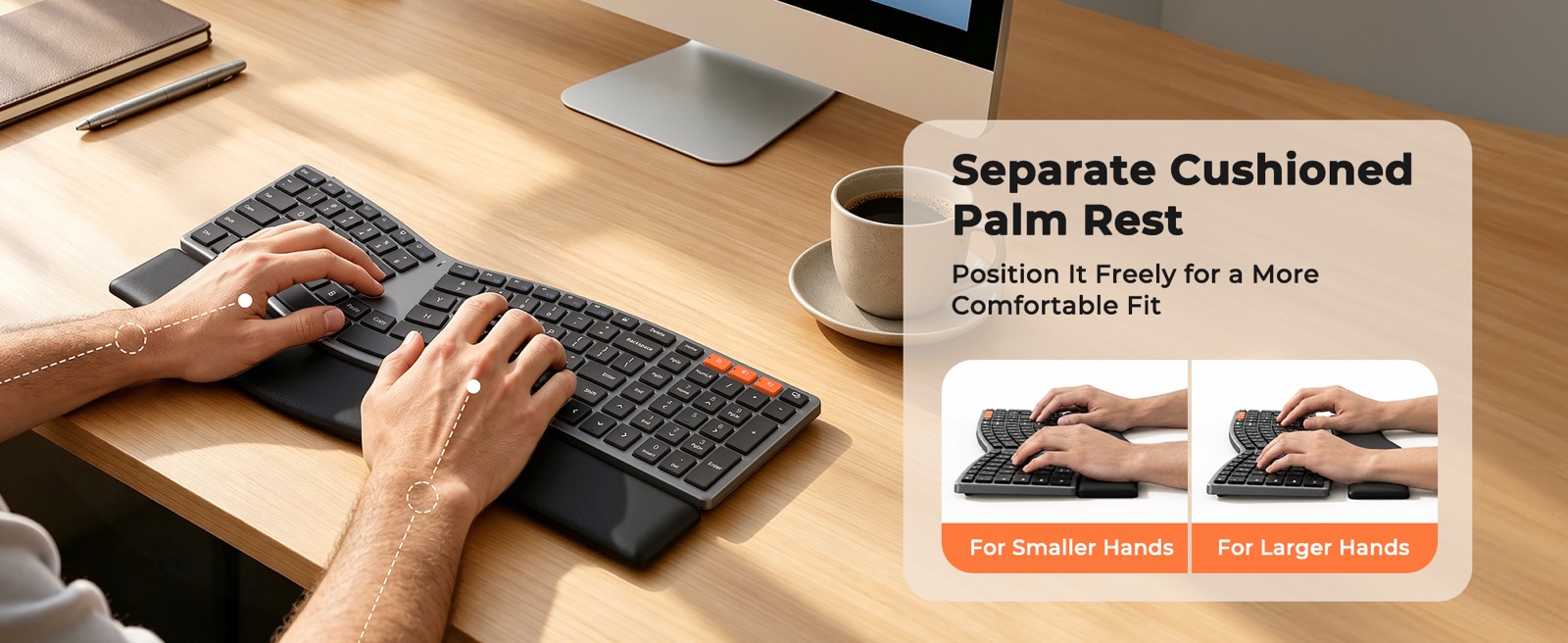
Is DirectorQ the Right Choice for Your Desk?
Each keyboard has its own unique layout and the user’s overall typing experience is different than that of someone else. What works well for one individual might not be what would work best for you.
DirectorQ may be worth exploring if you:
- Want to try something different from a traditional keyboard.
- Are curious about an S-shaped split-inspired layout.
- Prefer a slim keyboard design.
- Want to explore an alternative typing experience.
- Like the design of scissor-switch keys.
- Prefer making gradual changes to your workspace.
However, it is equally important to understand what to expect.
The layout for the split-style keyboard could take some getting used to. You will need to learn where each key is located, as well as the basic shortcuts that you use on a daily basis.
Comfort of wrist rests, as long as it applies to your workspace configuration, can be dependent on many factors, including the shape of your hands, the way you sit at work, and how often you use a mouse or keyboard. As such, there is no guarantee that a particular style of wrist rest will be as comfortable for all users.
DirectorQ may not be the best option to replace your current, functional professional ergonomic workflow.
It’s a good everyday keyboard to try out, but it’s not going to be the answer to everyone’s typing needs or preferences, nor will it meet every person’s ergonomic requirements.
Meetion Director Q
DirectorQ Curve Keyboard
An S-shaped, split-inspired layout with low-profile scissor-switch keys for a different everyday typing experience.
Amazon
$28.49
Meetion Director Q
DirectorQ Keyboard & Mouse Combo
Pair the S-curve keyboard with a matching wireless mouse for a complete, clutter-free desk setup.
Amazon
$29.99
Frequently Asked Questions About Director Q
What is the DirectorQ Curve keyboard?
The Meetion Director Q is an S-shaped keyboard that has a low profile, and uses scissor switches. This keyboard would be ideal for individuals looking to try something different when they type on a daily basis.
What makes DirectorQ different from a traditional keyboard?
The major design variance is that it has a split-inspired, S-shaped layout. So it has a different look and arrangement of keys than a traditional keyboard.
Is Director Q a split ergonomic keyboard?
Director Q has a split S-shaped design. For people who want to try out another way to lay out their keys, Director Q is a possibility.
Does the S-shaped layout require an adjustment period?
You might. The setup may seem strange to someone who has used a standard keyboard. Taking some time each day to practice typing and learning shortcuts will allow you to get used to the system.
What type of keys does Director Q use?
The director Q has scissor-switch keys that are typically found on thin keyboards.
Who should consider Director Q?
It’s a great choice for daily office workers, students, and those that have curiosity in alternatives to traditional keyboards, and would like to experience a different option than what they currently use. Also those who want to use professional ergonomic keyboards but afraid of sudden layout change, Director Q can be their first step towards professional ergonomic keyboard
A Small Change Can Make a Difference
You do not have to change everything to explore something new. Sometimes, it starts with the keyboard you use every day.
With its distinctive S-shaped layout, slim profile and scissor-switch keys, the MEETION Director Q offers an alternative typing experience for people who are curious about a different way to work.
Take your time, explore the design and discover whether it fits your everyday routine.
- Keyboard
- Ergonomic
- DirectorQ